Install in minutes
Install from Steam, run setup once. It registers the engine root, associates .femproj files, puts the tools on your PATH and creates a Ferrite Hub shortcut. Uninstall removes only what it installed.
Ferrite SDK is the binary distribution of the Ferrite game engine. Install it from Steam, run setup, and start a project in Schematic visual scripting or C#. Schematic-only projects need no separate compiler; C# projects require the .NET SDK.
Ferrite includes LAN multiplayer foundations. For services such as Steam integration, you may need to find or build a separate solution, which may require C# or other tools.
The SDK is the Ferrite toolset as a ready-to-run install, distributed through Steam. It includes prebuilt tools, the engine runtime, compiled shaders, the managed host, templates and docs. Projects you make with it are plain folders you can zip, copy and version.
Install from Steam, run setup once. It registers the engine root, associates .femproj files, puts the tools on your PATH and creates a Ferrite Hub shortcut. Uninstall removes only what it installed.
Schematic-only projects need no separate compiler. C# projects need the .NET 11 SDK from Microsoft. You can use both scripting approaches in the same project.
Package Project cooks content, stages the runtime and writes a standalone game folder plus an optional zip. The package includes the files needed to run your game.
Build LAN sessions with server authority, client prediction and declared replicated state. Choose which game data and events to send.
The SDK carries its own build tool. Move the SDK folder and re-run setup to register its new location.
Ferrite Hub shows detected engine roots, versions, tool and shader status and copyable repair commands. It never runs repairs behind your back.
Schematic is Ferrite's visual scripting system. Create a Schematic Class from Actor, Pawn, Character, First Person Character, Third Person Character or Game Mode, add components, wire a graph, press Play. Graphs compile to bytecode and run inside the engine's VM.
using Ferrite.Managed;

[FeClass(SchematicType = true, Schematicable = true)]
public sealed class EngineHum : WorldObject
{
    AudioSample? clip;
    AudioVoice? voice;

    protected override void OnStart()
    {
        var loaded = World.Audio.TryLoad("audio/engine_hum");
        if (!loaded.Succeeded) return;
        clip = loaded.Value;
        var playing = World.Audio.TryPlay2D(clip, new(Loop: true, Gain: .25f));
        if (playing.Succeeded) voice = playing.Value;
    }

    protected override void OnUpdate(double seconds)
    {
        if (voice is not null) _ = voice.SetPitch(1.1f);
    }

    protected override void OnStop()
    {
        voice?.Dispose();
        clip?.Dispose();
    }
}
C# classes marked Schematicable appear in the Schematic parent picker, so designers can extend programmer-written classes in graphs. Press Build C# Classes in the editor, then Play. Actors, Game Modes, UI widgets, audio and LAN sessions are all reachable from managed code.
Five executables, all prebuilt in Release. Every tool is project-aware and works from a .femproj.
| Executable | Role | What it does for you |
|---|---|---|
| FerriteHub | Project browser | Create projects from templates, open recent ones, choose the registered engine, launch the editor or the game. Hosts the Setup & Readiness page. |
| FerriteEditor | Level editor | Native Level authoring with drag-drop placement and snapping, Schematic Class editor, node-based material editor, Widget editor for UI, content browser with glTF import, world settings, post-process volumes, multi-viewport, embedded Play-In-Editor including multiplayer PIE, and transactional Package Project. |
| ferrite | Command line | new, generate, build, run, open, package. Script the same workflow from a terminal or CI. |
| FerriteCooker | Asset cooker | Cooks content for production and writes a PackageReceipt.json with every staged file. |
| FerriteLauncher | Game launcher | The executable your packaged game runs as. Loads the engine runtime, your cooked content and your managed assemblies. |
The SDK ships two project templates, one Schematic-only and one C# + Schematic, plus templates for editor plugins. Both projects open, play and package out of the box.
A Level, a Player Start and a Game Mode. The smallest possible project for learning the editor.
C# scripts and Schematics with a game-only Visual Studio solution and a starter Level.
Create Plugin scaffolds a blank C# editor plugin, an editor command, an editor panel, an asset importer, a custom asset type or an MCP tool pack.
Hub lists your recent projects alongside the templates. Projects are plain folders, so they version cleanly in git.
The SDK ships the production engine runtime as prebuilt binaries. You get the renderer, physics, audio and networking that the engine's own games are built on.
Create gameplay in Schematic and C#, with tools for authoring content and systems you can configure for your project.
Cook a map into cells that load and unload around the player. Configure layers and distances, and add streaming sources from C#.
Enable save slots for your project and register game state to save and load. Slots are available from C# and Schematic.
Set up wheeled vehicles, boats, helicopters and planes with Schematic, including seats and handling settings.
Build animation graphs and layer actions with montages, sections and notifies. Retarget compatible humanoid animation clips between skeletons.
Combine emitters, forces, constraints and renderers in the Particle System editor, then preview and place effects in a level.
Use streamed audio and a music player with playlists, crossfades and beat-synchronised transitions where supported.
Animate widget elements on timelines, preview them in the editor and play them from Schematic or C#.
Gather and compile translations for widget, Schematic and C# text, including plural forms, and switch culture at runtime.
Declare replicated state and use server, owning-client or multicast events for multiplayer interactions.
Give a level its own Schematic or C# logic for lifecycle and player events, music and interface behaviour.
Use the C# fracture API to build objects from parts that can break away through damage, impacts or script.
Compare and merge supported authored assets, including Schematic, Widget and Material assets, with three-way merge tools.
Configure rendering for your project and levels, with quality tiers for different hardware budgets.
Bake lightmaps and light probe volumes in the editor, blend GI sets at runtime, and light moving objects from probes. Pick a lighting mode per project or per level: Static, Time of Day or Runtime.
A time-of-day atmosphere profile drives the sun, sky, fog, exposure and clouds from one lookup, so lighting always matches what you see. Height fog is lit by the sky.
Cascaded sun shadows with a static cache, PCSS on Ultra, a far cascade, contact shadows, and shadows for spot and point lights. Sphere and tube lights are supported.
Ground-truth ambient occlusion with bent normals and temporal accumulation, plus Hi-Z screen-space reflections blended with cubemap captures and the sky.
Histogram auto exposure in EV100 with metering and per-volume control, selectable display transform, grading LUTs, and HDR10 output on desktop.
Mobile, Low, Medium, High and Ultra select shader permutations and budgets, from phones up to desktop. Set the default in the project and change it at runtime with r_quality_tier.
Textures stream by wanted mip against a real video-memory budget, with per-asset cook settings and per-platform formats. Tune it in the editor's graphics settings.
Ferrite supports DirectX 12, Vulkan and Metal. Feature availability and performance can vary by backend and hardware.
Captured on the same runtime you get in the box. It is a Schematic and C# project with no native code.
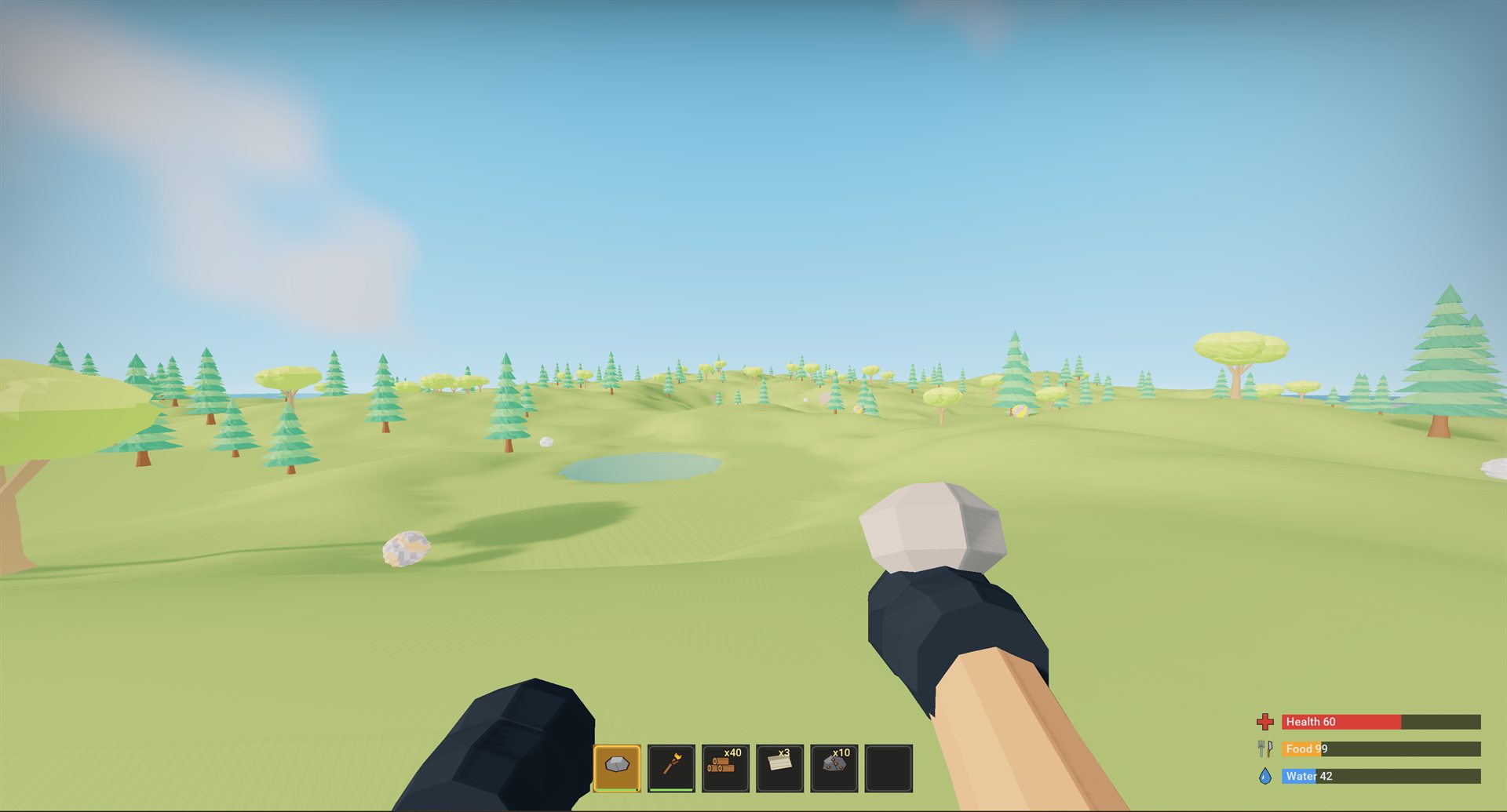
Ferrite SDK will launch on Steam in Early Access. Updates, templates and documentation will ship through Steam as the engine evolves. Follow the store page to get notified the day it goes live.
The SDK is built from an explicit allowlist. Every binary is recorded with a SHA-256 receipt, and every third-party notice is included. It contains no engine source, headers, libraries or debug symbols.
| Ferrite SDK | |
|---|---|
| Schematic projects | Yes |
| C# projects | Yes |
| Editor, Hub, CLI, Cooker | Yes |
| AI Tools panel: one-click MCP setup for Claude Code, Codex, OpenCode | Yes |
| Package to standalone build | Yes |
| DX12 and Vulkan | Yes |
| Metal (macOS) | Yes |
| Windows 11, Linux (Ubuntu 24.04 or later) · x64 | Yes |
| macOS 26 or later for the editor and SDK tools, macOS 14 or later for your games · Apple Silicon (M1 and later) | Yes |
| Prebuilt engine runtime | Yes |
| Third-party licence notices | Yes |
| Needs a C++ toolchain | No |
| Needs engine source | No |
Ferrite ships only as this SDK. The engine runtime is prebuilt and closed; all gameplay is written in Schematic or C# against the documented API, and everything a finished game needs is in the box.
Windows 11, or Linux (Ubuntu 24.04 or later) on an x64 machine, or a Mac with Apple Silicon (M1 or later; Intel Macs are not supported) running macOS 26 or later (the games you build run on macOS 14 or later), with a DirectX 12, Vulkan or Metal capable GPU. C# projects also need the .NET 11 SDK.
# 1. install Ferrite SDK from your Steam library

# 2. run setup once from the install folder
...\steamapps\common\Ferrite SDK\install

# 3. (C# only) install the .NET 11 SDK from Microsoft

# 4. open Ferrite Hub and create a project
Setup registers the Steam install folder as your engine root. Steam keeps the tools, runtime and templates up to date.
ferrite new MyGame --template EmptyCSharp --path D:\Projects
ferrite open     D:\Projects\MyGame\MyGame.femproj

# in the editor: edit, press Play, then Package Project.
# output lands in Saved/StagedBuilds/<Platform>/Release/MyGame/
# with the game executable, cooked content and an archive

ferrite package  D:\Projects\MyGame\MyGame.femproj
Packaging is transactional. A failed cook, copy or validation step leaves your previous build untouched.